
In two days, on Wednesday, April 8, a group of Bitcoin Core developers will demo “attack blocks” designed to take an extremely long time to verify Signet.
The demonstration will take place at 10am EST (2pm UTC). Anyone who wants to participate can run a Bitcoin Core node on Signet and watch the blocks being mined and processed by their node in real time.
Instructions can be found here To spin up a node and keep track of it (including how to check your node’s logs for attack block verification times).
The demo will not show the worst case of the attack (the required script and transaction structure have not been publicly disclosed to not give malicious actors more information about the attack), but it will produce blocks that take longer to verify their size than your average block.
The purpose of the demonstration is to show how one of the consensus’s four critical weaknesses is… The Great Consensus Cleanup aims to address BIP 54.
Two additional demos will be held at 6pm EST (10pm UTC) on April 8, and at 5am EST (9am UTC) on April 9, to allow Bitcoin users in different global time zones to participate live as well.
The Blockchain Signet size is currently around 32-33GB, so if you have any device with large storage space, keep running a Signet node to share.
For your awareness, the following software patch was compiled quickly for this demo and is not fully proofread (although it is just a basic terminal-based GUI). If you’re creating a brand new Signet node just for this demo on a machine without any money on it, you should be fine even if you’re a paranoid type like me.
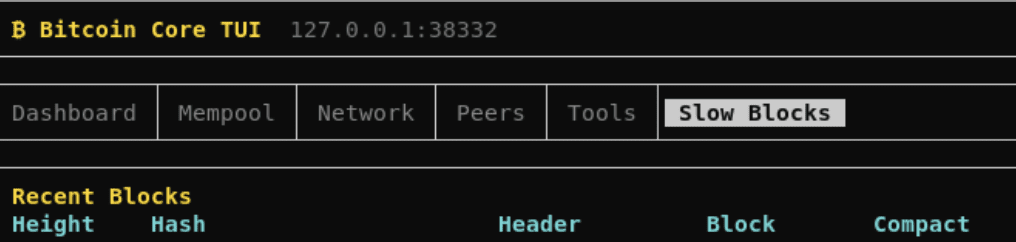
For those who don’t want to just look at the log files, AJ Towns has provided one Patch To the “bitcoin-tui” project, a terminal-based GUI for Bitcoin Core to display attack blocks during a demo. The project’s creator is working on a version suitable for demo time, but you can also compile it yourself.
Run these commands on Linux (git commands will work on other operating systems, and you should be able to easily find the equivalent CLI commands for your operating system online):
git clone https://github.com/ajtowns/bitcoin-tui.git

cd bitcoin-tui

git switch 202604-bip54blocks
From there you should be able to follow the build instructions found in the repository here. After compiling, make sure your bitcoind has “server=1” in the config file, and start bitcoin-tui. You should find the Slow Blocks tab to the right of the top bar.